The 10.0.1 release is a maintenance release which includes developer productivity, usability, security and performance improvements.
Improved 404 Handling
Prior to .NET 10 when a Blazor application encountered a "page not found" scenario it would redirect the user to a "friendly" error page using NavigationManager.NavigateTo(). However this would result in a 302 redirect status code being returned to the client rather than a 404 status code. In .NET 10 a new NavigationManager.NotFound() method was introduced and when used in conjunction with the UseStatusCodePagesWithReExecute middleware, it is capable of returning the proper 404 status code. This behavior is important for crawlers and bots which rely on accurate HTTP status codes when indexing sites.

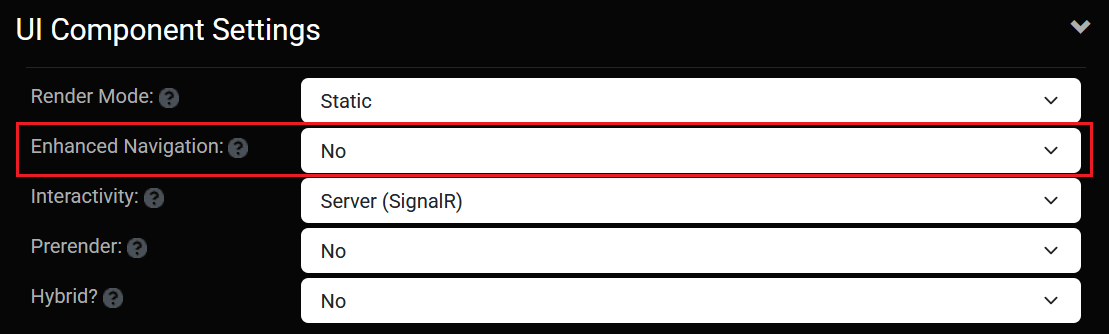
Enhanced Navigation
When Static Rendering (SSR) was introduced for Blazor in .NET 8 it included a feature referred to as "Enhanced Navigation". Enhanced Navigation allows a traditional server-based application to behave more like a Single Page Application (SPA). Specifically, it prevents full page refreshes of browser content, providing a more responsive user experience. Enhanced Navigation is a powerful feature however it also introduces some complications for JavaScript, as it essentially prevents JavaScript from being executed after the initial page request. In Oqtane 10.0.1 we have included an option so that Enhanced Navigation can be disabled for a site. This provides a more traditional request/response behavior which is fully compatible with JavaScript. This option is especially useful when migrating server-based applications to Oqtane.
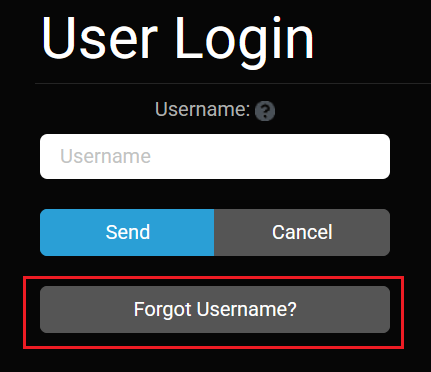
Forgot Username
The default authentication in Oqtane is based on a traditional self-hosted username and password combination. For users who do not access a web application frequently, there is a chance that they may forget their username. Previously there was no way for them to recover their username. In Oqtane 10.0.1 we have added a Forgot Username option which allows a user to enter their email address and a username reminder notification will be sent to them.
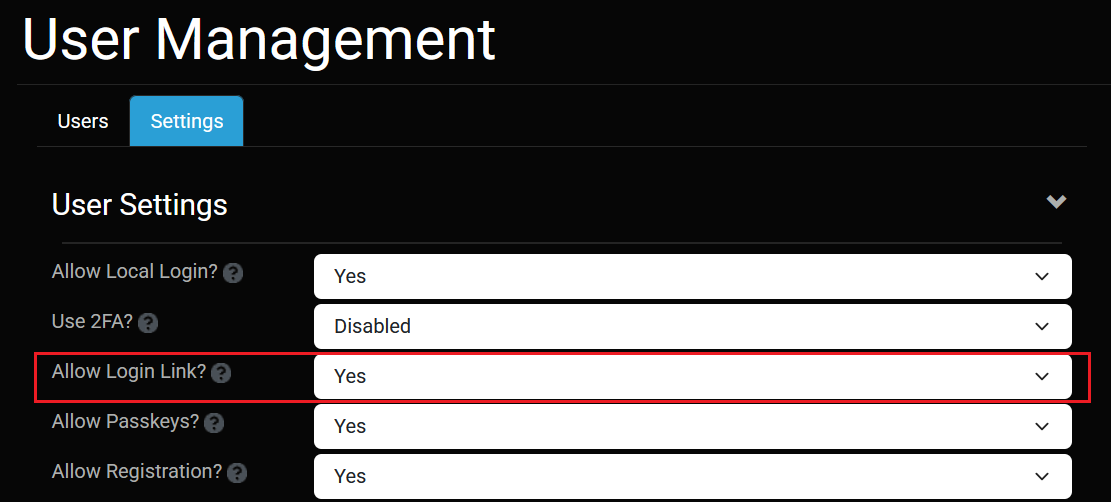
Allow Login Link
Security is a balancing act between robust protection and ease of use. In environments where usability is a priority, login links have become more common in recent years. The basic idea behind a login link is that a user can enter their email address and the system will send them a notification containing a single-use time-sensitive link which will allow them to login without entering their password. In Oqtane 10.0.1 it is now possible to enable an option in User Management Settings to allow users to authenticate using a login link.
Security
This release has been upgraded to the latest .NET SDK version 10.0.1 which includes security patches for any issues identified in prior .NET 10 SDK releases from Microsoft.
Open Source
To date, the open source project has recorded over 3300 pull requests from 58 contributors and has published 61 official releases, which ranks it among the most active open source projects within the .NET Foundation. The Oqtane framework continues to evolve at a rapid pace to meet the needs of .NET developers. The 10.0.1 release is available for download on Github and is running in production at https://www.oqtane.org, https://www.blazorcms.net, and https://www.blazorkit.net.
Known Issues
When compiling the Oqtane solution you may encounter a "warning NU1608" message related to a compatibility issue with the MySQL database providers. The warning can be safely ignored and the message will be resolved once the Pomelo Foundation releases a native .NET 10 version of their library.